Data Source: Xero

The best free & paid Looker Studio templates, curated and quality-ranked for data reporting.

Clear All

Showing 1 - 3 of 3

Accounts Receivable Dashboard for Xero cover image
Accounts Receivable Dashboard for Xero

Accounts Receivable dashboard tracking unpaid and overdue invoices, AR aging, top customers, and monthly paid vs unpaid trends with invoice-level detail.

Accounts Receivable template focused on unpaid and overdue invoices, collections performance, and customer exposure. Key metrics include total unpaid balance, overdue amounts (30+ and 90+ days), and top customers by outstanding value. AR aging tables break down balances across current, 1–30, 31–60, 61–90, and 90+ day buckets with an invoice-level list of due dates and amounts. Visuals compare paid vs. unpaid by month and summarize the last 12 months of payments by customer. Ideal for finance teams to prioritize follow‑ups, reduce DSO, and forecast cash flow.
Free
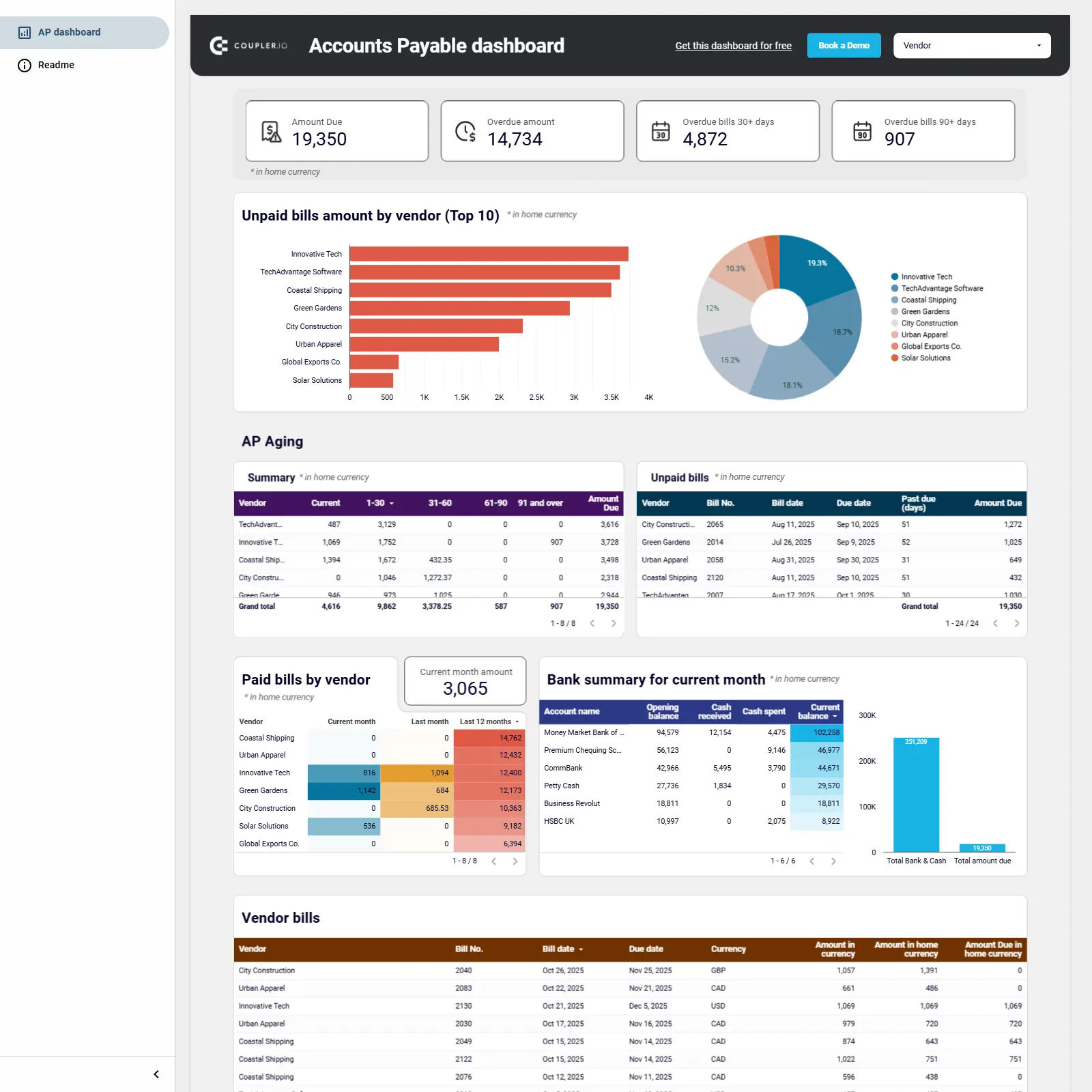
Xero Accounts Payable dashboard cover image
Xero Accounts Payable dashboard

Accounts Payable dashboard for QuickBooks and Xero that tracks amounts due, aging, top vendors, paid bills, and bank balances to prioritize payments and manage cash.

Accounts Payable dashboard template for Looker Studio powered by Coupler.io centralizes billing and vendor data from QuickBooks and Xero. Track total amount due, overdue balances (30+ and 90+ days), and AP aging to gauge risk and payment timing. See unpaid bills by vendor, identify top creditors, and dive into detailed bill tables with due dates, currencies, and amounts. Review paid bills by vendor alongside bank balances, opening/closing balances, and cash received/spent to plan payouts. Prioritize payments, prevent delinquencies, and align cash on hand with upcoming obligations.
Free

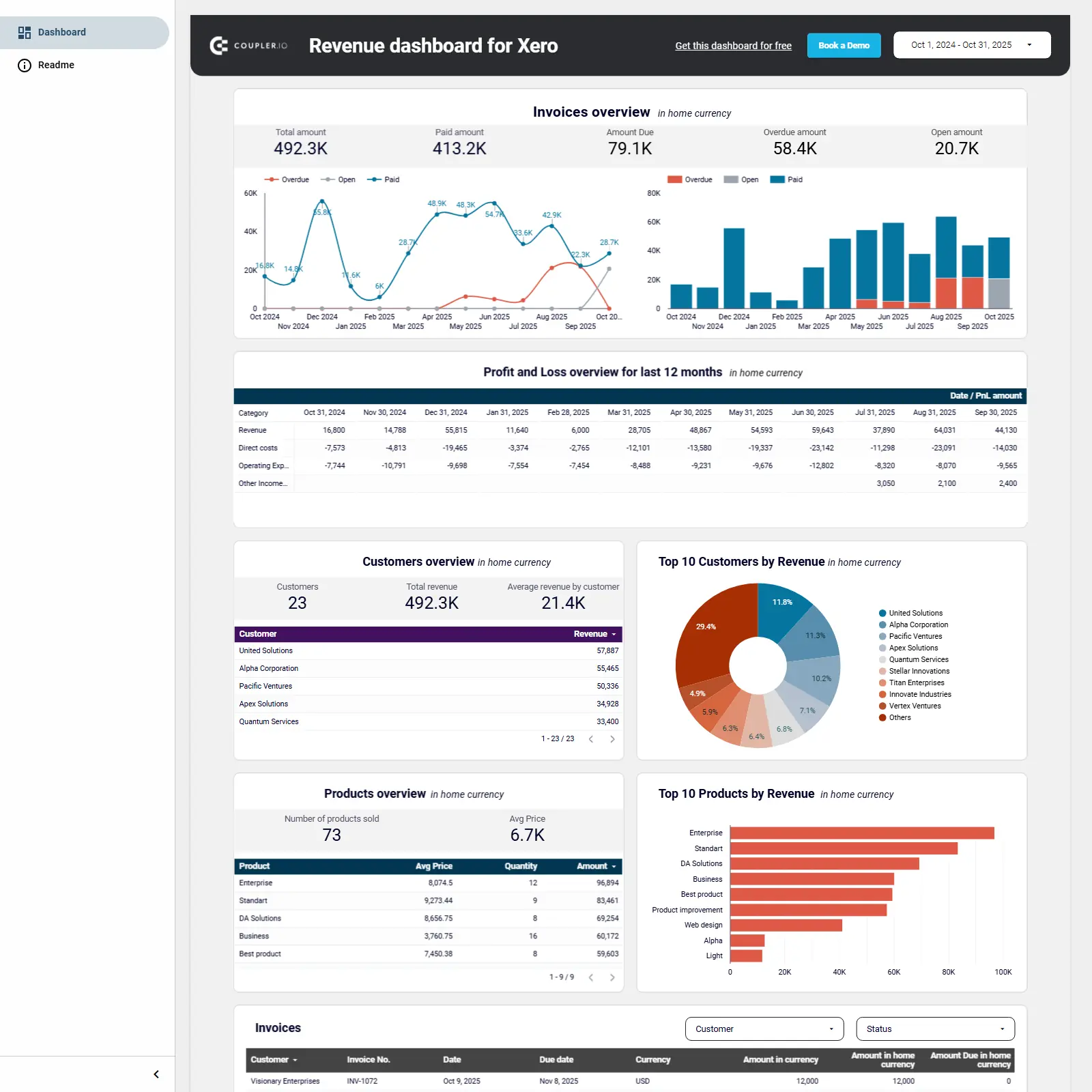
Revenue dashboard for Xero cover image
Revenue dashboard for Xero

Xero revenue analytics covering invoices, 12‑month P&L, top customers, and top products to guide cash flow and sales decisions.

Revenue dashboard for Xero focused on revenue, cash flow, and sales performance. Monitor invoices with totals for paid, due, overdue, and open amounts alongside monthly trends. Review a 12‑month Profit & Loss table showing revenue, direct costs, and operating expenses. Identify top customers and products by revenue, plus average revenue per customer, number of products sold, and average price. See invoice details by customer and status to spot blockers and opportunities.
Free