Price: Free Templates

The best free & paid Looker Studio templates, curated and quality-ranked for data reporting.

Clear All

Showing 1 - 5 of 5

Apple Search Ads Overall Performance cover image
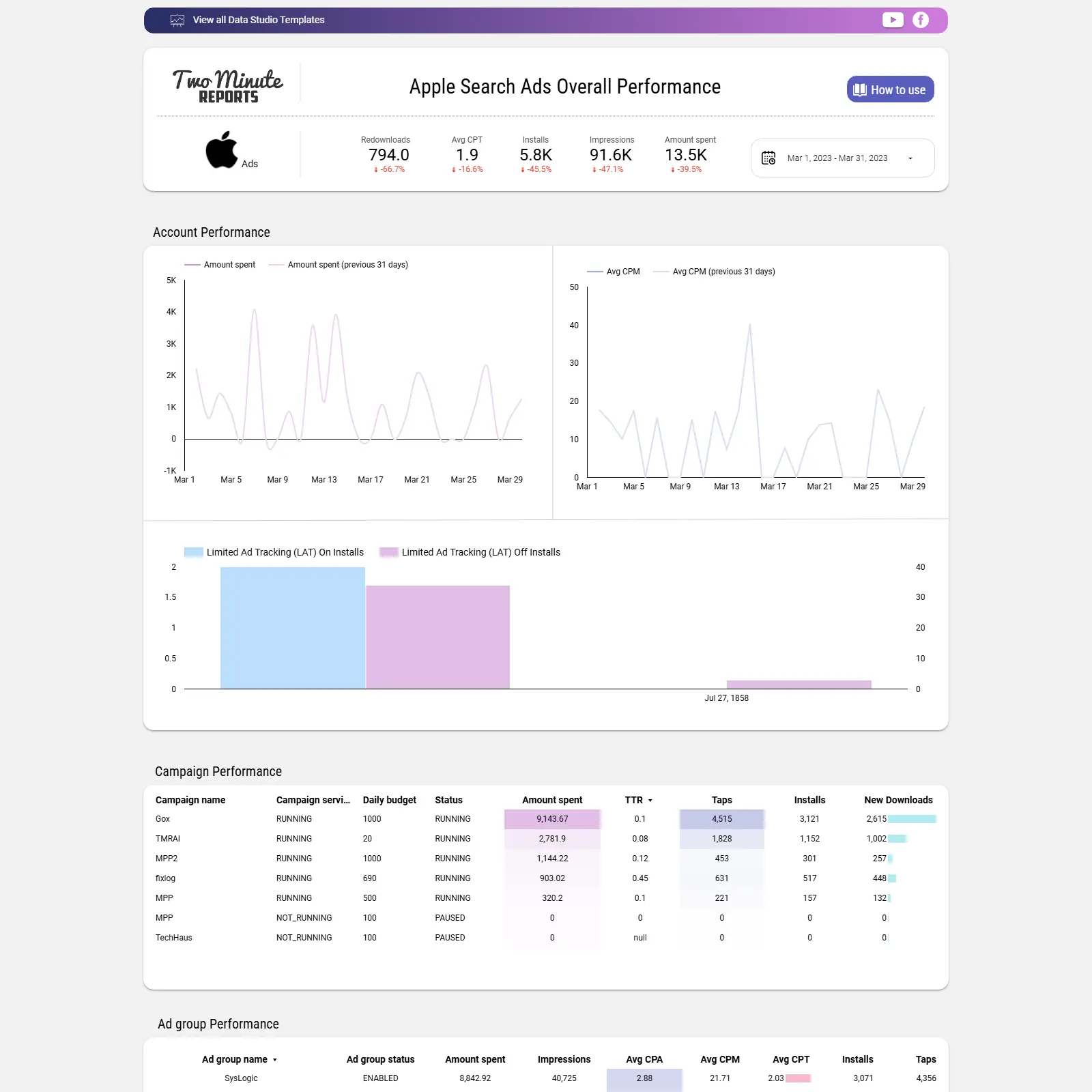
Apple Search Ads Overall Performance

Apple Search Ads performance tracking for spend, taps, installs, CPT/CPA/CPM, LAT impact, and campaign/ad group rollups over time.

Apple Search Ads analytics in Looker Studio focused on campaign, ad group, and ad performance. Track spend, impressions, taps, TTR, installs, new downloads vs re‑downloads, and costs such as CPT, CPA, and CPM with time‑series comparisons to previous periods. Understand attribution gaps with Limited Ad Tracking (LAT) insights on installs and off‑installs. Use performance tables with budgets, statuses, and results to pinpoint winners, reduce waste, and guide bid and budget moves.
Free
Apple Search Ads dashboard cover image
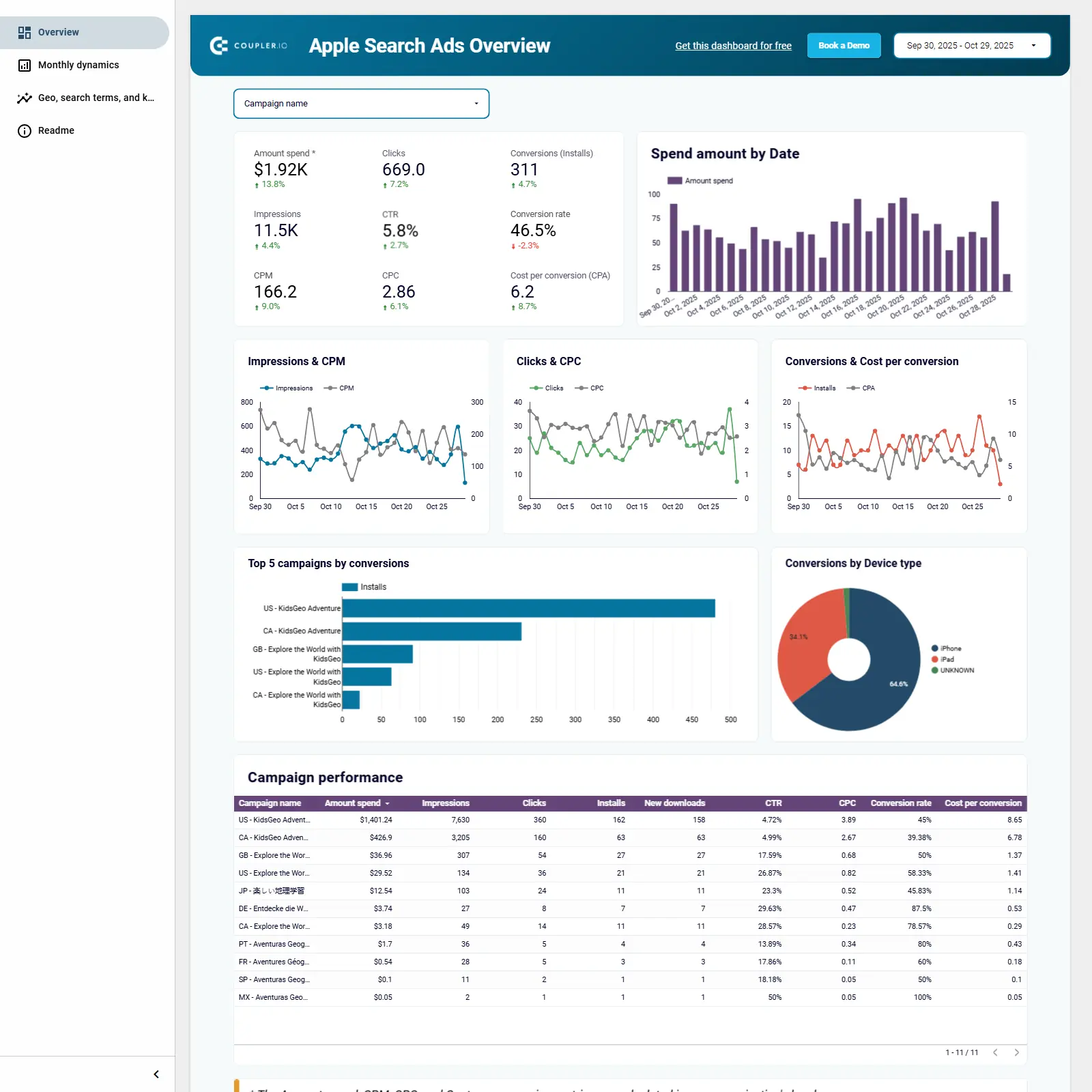
Apple Search Ads dashboard

Apple Search Ads dashboard template to analyze campaigns, keywords, and device performance and optimize installs and spend.

Apple Search Ads analytics template for Looker Studio that brings all campaign data into one view to guide smarter app growth decisions. Track spend, impressions, clicks, installs, CTR, CPC, CPA, conversion rate, and new downloads with device split for iPhone vs. iPad. Compare campaigns and keywords, identify top converters, and analyze actual search terms to refine targeting. Review daily and month‑over‑month trends to spot seasonality, budget efficiency, and performance shifts. Turn insights into actions by reallocating spend, adjusting bids, and improving creatives to drive more quality installs.
Free
Apple Search Ads - installs and Accounts Performance cover image
Apple Search Ads - installs and Accounts Performance

Apple Search Ads installs and account performance with KPI trends, efficiency comparisons, and install-type insights by campaign and ad group.

Apple Search Ads installs and accounts performance with clear KPIs for conversion rate, taps, TTR, average CPA/CPM/CPT, and spend. Trend charts reveal changes across spend, impressions, taps, installs, and conversion rate versus the previous 30 days. An account-level table compares efficiency with columns for spend, impressions, CPA, CPM, CPT, conversion rate, installs, and taps. Installs insights detail LAT on/off installs, new downloads, and redownloads by campaign, ad group, and ad to pinpoint growth drivers.
Free

Apple Search Ads overview report cover image
Apple Search Ads overview report

Apple Search Ads KPIs with campaign and country breakdowns to optimize spend and CPA.

Apple Search Ads performance overview focused on spend, impressions, taps, and results. Highlights top campaigns using total budget, cost, and cost per acquisition to pinpoint winners and waste. Includes a country breakdown by impressions to reveal markets driving scale. Built for marketers managing iOS user acquisition and budget optimization.
Free
Apple Search Ads - Overview cover image
Apple Search Ads - Overview

Apple Search Ads performance overview with real-time KPIs and trends across campaigns, ad groups, and keywords.

Apple Search Ads Overview for Looker Studio centralizes your ASA performance in one place. Track essential KPIs—spend, impressions, taps, CTR, installs, cost-per-tap, cost-per-acquisition, and conversion metrics—across campaigns, ad groups, keywords, and search terms. KPI tiles, trend charts, and a date selector make it easy to spot performance shifts and compare periods. Powered by Catchr’s no‑code connector, data updates in real time for dependable monitoring. Perfect for marketers optimizing budgets, bids, and keyword coverage.
Free